|
Not only does reFlector
display the performance of KPIs in its charts and reports, textual commentary also can be added by authorised personnel.
Typically, such commentary is entered to advise users of the
causes of performance change and any actions that may be in place to remedy it if there is a problem. Commentary is displayed below the data window of the main reFlector screen.
Data items in the KPI Browser can be organised however your organisation desires eg A strategic view with cascading items showing cause and effect relationships, a Workgroups view showing management
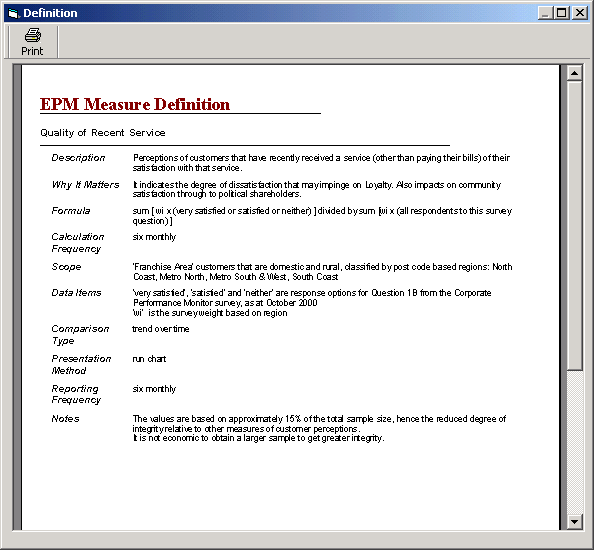
accountabilities, a project view for key projects to monitor, process performance, output performance etc. An item can appear in more than one location in the browser.Definitions for each item in
the KPI Browser are also stored in the reFlector database and can be displayed via a click on the main toolbar. A sample screen is shown at right (click on the image to expand). Drill
down can also be enabled in chart displays so that data can be broken down into components e.g. to show Sales by Region, by Products Type, by Salesperson etc. If enabled, reFlector
can advise users of a change of performance of a KPI. In-built statistical rules are applied when the data is loaded and a short message is displayed to indicate if a rule has been violated |